Speed-Wiz

Conversions
Optimizations
Online help
What's new
Printing
Reports
Setup
FAQs
Users
Video
Quality
How to order


Calculations
  Vehicle
  Engine calculations
    Air flow
    BMEP, BSFC
    Camshaft
    Chamber volume
    Comp. ratio
    Piston volume
    Displacement
    Efficiency
    EFI
    Fuel flow
    Header 1
    Header 2
    Header collector
    Injector sizing
    Intake manifold
    Maximum RPM
    Octane
    Piston speed
    Port velocity
    Power,  torque
    Power input 1
    Power input 2
  Turbochargers
  Engine simulation
  Suspension
  Chassis
  Performance
  Reference
  Data logging
  Fun stuff
  Lap timer
  Strategy
  Favorites


Graphs
  Engine
  Suspension
  Chassis
  Performance
  Other
  Favorites

Power Curve Input 2

The power curve input plot allows you to adjust your power curve. The power points can be dragged up, down, left, and right to change the rpm or power entry. New torque and BMEP values are automatically calculated to correspond.

The specified power information is optionally used in the acceleration simulations, and the specified torque curve is optionally used in the shift points calculation.
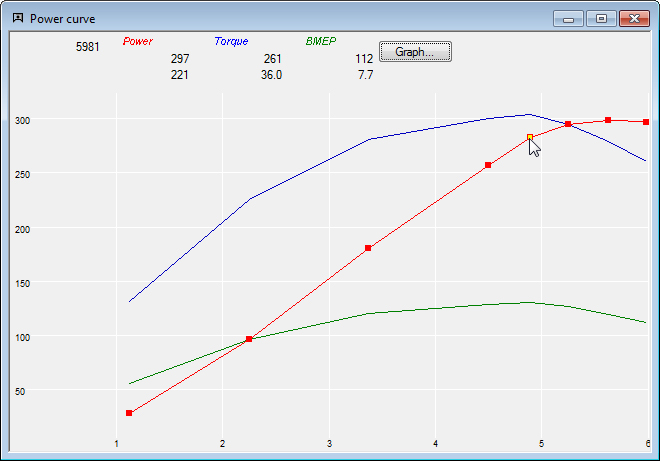
Power Curve Input Graph

Power can also be entered in a table format using the power input table.


Copyright © 1997 - 2010 Speed-Wiz. All rights reserved.
E-mail: Internet: www.Speed-Wiz.com