Calculation Links
The calculation links feature allows you to instantly see which data inputs can be calculated and enables you to go directly to those calculations.
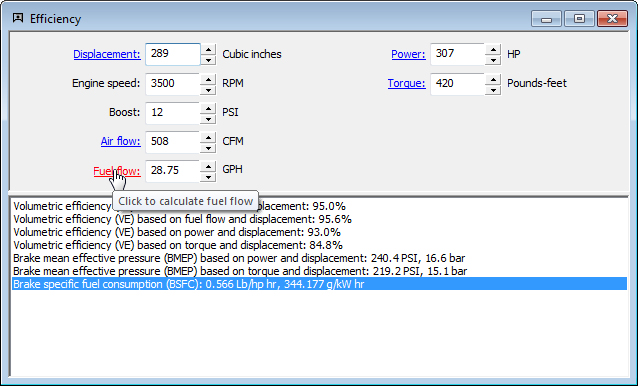
In this example, an engine efficiency calculation, there are 7 inputs. Of these 7 inputs, 5 can be calculated by Speed-Wiz. These are the underlined items — Displacement, Air flow, Fuel flow, Power, and Torque. The mouse is currently pointing at Fuel flow — the tip says Click to calculate fuel flow. Indeed, if you click the Fuel flow link, the fuel flow calculation will pop up, and the result from the fuel flow calculation will be used as the fuel flow input in the rest of the program, including the efficiency calculation.