Engine Simulator Conditions
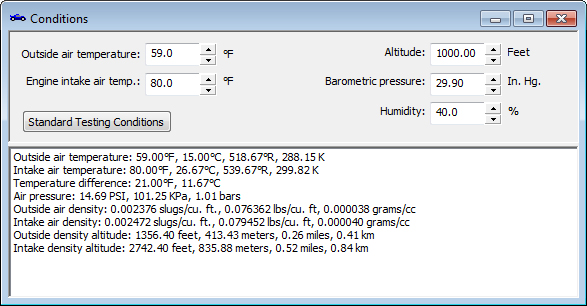
The engine simulator allows you to specify the conditions you wish to simulate. This increases the accuracy of the simulation rather than assuming standard testing conditions. Of course, you are free to just specify standard testing conditions if you wish. But it's nice to be able to compare the various conditions you will encounter.
In addition to using the inputs in the engine simulation, several immediate calculations are also provided.
| Inputs | Calculated Outputs |
| Outside air temperature Engine intake air temperature Altitude Barometric pressure Humidity |
Outside air temperature Intake air temperature Temperature difference Air pressure Outside air density Intake air density Outside density altitude Intake density altitude |
After you specify the conditions, you then continue to the Fuel, General, Intake, Exhaust, Aspiration, and Valves windows to continue specifying your engine setup.